
In the previous guide we populated HTML table with Angular httpResource API. You can read more about it. This time we will make the table interactive. We will find out how well httpResource and Angular Signals plays together when it comes to sorting.
What are we building with Angular Signals
Here is how the final sortable table behaves
How we gonna build it
We will expand on our previous achievements. On template side we have a table. We need to add
- Properties to track sorting
- Sort Indicators in template
- Reacting to Angular Signals for Sorting
- Sorting trigger on the column
Properties to Track Sorting
We will need few properties (of course Angular signals) to track the
- Column to Sort (Post ID, Name)
- Sort Direction (ascending or descending)
sort = signal('');
order = signal('asc');

// or one object to consolidate both properties
Sort Indicators in template
We have table headers, we will pick one of them. Let’s choose PostId as our subject
<th>Post ID</th>For simplicity I am using unicode characters to illustrate ascending and descending order ↑ and ↓ respectively.
<th>
 <span>Post ID</th>
 @if(order() === 'asc') {
   <span>↑</span>
 } @else {
   <span>↓</span>
 }
</th>
Since th is not limited to text nodes , we need to use span to group our new additions of sort order icons. Here we are checking for angular signal order() and showing icon accordingly.
But we need to show Sort indicators only when it’s necessary. Let’s expand our template
<th>
 <span>Post ID</th>
 @if(sort() === 'postId') {
   @if(order() === 'asc') {
     <span>↑</span>
   } @else {
     <span>↓</span>
   }
 }
</th>
Line 3 wraps all the previous control flow code in yet another @if block. This is to confirm the sorting behavior only when current header is active.
Reacting to Angular Signals for Sorting
comments = httpResource<Comment[]>(() => ({
    url: 'https://jsonplaceholder.typicode.com/comments',
    params: {
      _limit: 10,
    }
  }), {defaultValue: []},
);
All the magic happens in the params object. After adding new params from the JSONPlaceholder api, our code becomes
comments = httpResource(() => ({
  //..
  params: {
    _limit: 10,
    _sort: this.sort(),
    _order: this.order()
  }
  //..
 );
The params are reactive, as soon as the sort or order signal updates, the httpResource will re run bringing new slice. That eventually updates our table on the HTML.
The whole purpose of this article was to illustrate this exact point. How our httpResource reacts to signals. It automatically fetches new set of data, matching the sorted column and direction that we chose.
We do need a way to update those two properties
Implementing the Sort trigger
We need to make our column clickable.
<th (click)="sortBy('postId')">
  <span>Post ID</span>
  // ...
</th>
Our sortBy handles the sort logic. It basically updates the appropriate signals.
sortBy(field: string) {
  if(this.sort() === field) {
    const newDir = this.order() === 'asc' ? 'desc' : 'asc';
    this.order.set(newDir)
    return
  }

  this.sort.set(field);
  this.order.set('asc');
}
If the column is already sorted then we need to only change the direction. Otherwise we set the currency active sorted column by updating sort and order signals
The feel of declarative programming. We didn’t forced or did any kind of manually plumbing to fetch the data and update the column.
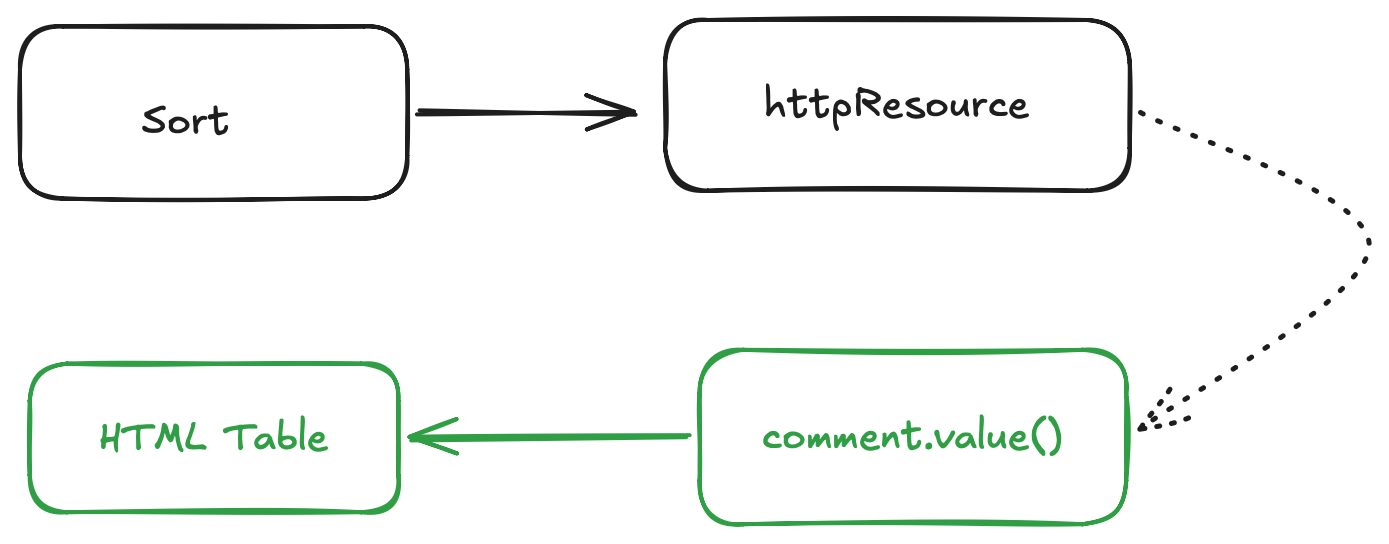
We have successfully added the Sort feature to Post ID column. Let’s add to one more column.
<th (click)="sortBy('email')">
  <span>Email</span>
  @if(sort() === 'email') {
    @if(order() === 'asc') {
      <span>↑</span>
    } @else {
      <span>↓</span>
    }
  }
</th>
Now email is also a sortable column. The result becomes.
The UX here feels jittery, because httpResource resets to an empty array during loading state. Previously the workaround was to use linkedSignal to always show previous state, but hold on Angular has much better solution.
Resource composition with Snapshot
Angular came up with Resource Snapshot. By combining previous and next snapshot using linkedSignal, we always have that is not empty. People at Angular love did an amazing job in explaining it.
We have little change in our code.
function withPreviousValue<T>(input: Resource<T>):Resource<T> {

  const derived = linkedSignal<ResourceSnapshot<T>, ResourceSnapshot<T>>({
    source: input.snapshot,
    computation: (snap, previous) => {
      if (snap.status === 'loading' && previous && previous.value.status !== 'error') {
        return { status: 'loading' as const, value: previous.value.value  }
      }
      return snap
    }
  })

  return resourceFromSnapshots(derived)
}


// ....
commentsRes = httpResource<Comment[]>(() => ({
    url: 'https://jsonplaceholder.typicode.com/comments',
    params: {
      _limit: 10,
      _sort: this.sort(),
      _order: this.order()
    }
  }), {defaultValue: []},
);

comments = withPreviousValue(this.commentsRes);
//...
We call our original resource a commentRes, we pass it along to withPreviousValue function. We need a way to look for previous snapshot, if it exits and has a value we return that other we swap it with newer snapshot. LinkedSignal is perfect candidate for this purpose. It declaratively takes the best decision.
Final Result
With sorting in place, our table is interactive and reactive
Next Steps
Every time we make a column sortable, we have to add extra markup. This can be moved to reusable logic, into a composable directive.
Resources & Repo Links
- Link to Previous Article
- Link to the Source Code
- Link to Video Version
- Link to Stackblitz Demo
- Angular Resource Snapshot
- Angular.love article about httpResource Snapshot